bossklik Casino & Sportsbook Mobile App
We at bossklik keep our mobile experience across three pathways—Android APK, iOS browser, and responsive web—because device choice, network conditions, and user preference differ between Jakarta, Surabaya, Bandung, and Medan. Our platform does not favour one install method over another; instead, we document the trade-offs so users can select the option that fits their device and bandwidth.

- LoginOTP Verification
- StartFirst Game
- DownloadAPK
Mobile-first access to our platform means football markets (Liga 1, Piala AFF, Champions League), live-dealer tables, slot games, esports coverage, and payment methods (DANA, e-wallet, mobile banking, local payment, online payment, e-wallet, mobile banking, local payment, online payment, e-wallet) are built to work on phones first and tablets second. We do not require high-speed internet or the latest hardware; our architecture supports Android 7 and iOS 12 upward, and we test performance under weak signal conditions because reliable access matters more than speed alone.
Our services are available only where local law permits. Users are responsible for verifying that access to and use of bossklik complies with the laws of their own jurisdiction. This guide covers installation, device compatibility, common troubleshooting, and data security practices on our platform.
Download and install bossklik across your device
We offer three ways to access bossklik without requiring users to commit to one method. Android users can download our APK directly; iOS users open our platform in Safari or another mobile browser; and all users can use our responsive web app on desktop or tablet. Each path has different setup steps, so we walk through them separately below.
Android APK download
Direct installation file for Android 7 and later. No app-store account required; users enable unknown sources in device settings before installing.
Mobile browser and web app
Safari on iOS, Chrome on Android, or any modern browser on desktop. No installation; open our URL and bookmark or add to home screen on iOS for app-like behaviour.
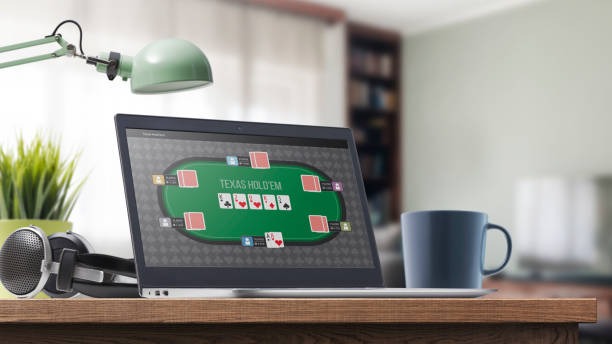
Step-by-step installation on our bossklik platform
-
1
Download the APK or open the browserStep 1
Android users: locate the APK download link on our platform and save to device. iOS and web users: open a browser and navigate to bossklik.app without any intermediate install step.
-
2
Install and grant permissionsStep 2
Android APK: enable unknown sources in device security settings, tap the APK file, and confirm installation. Browser users: no permission grant needed; proceed directly to account access.
-
3
Register or log into your accountStep 3
New users: open an account with email or mobile number, KYC documents, and payment method selection. Existing users: enter username and password to access your account on bossklik.
-
4
Begin browsing our platformStep 4
Access football markets, live-dealer tables, slot games, and esports coverage. Deposit via DANA or e-walletand manage withdrawals through your account settings.
App versus browser: strengths and trade-offs on bossklik
Our Android APK installation delivers offline account access (displaying cached market data when network drops mobile bankingefly), push notification support for live events, and marginally faster load times on repeat sessions. Browser access requires constant connectivity but runs on any device without installation steps and updates automatically when we deploy changes. Neither option is universally superior; users in areas with variable signal (such as Idul Fitri travel between cities) often prefer the APK for resilience, while users who switch devices regularly prefer the browser. We support both equally.

Device compatibility on our bossklik platform
We support Android 7 (released 2016) and iOS 12 (released 2018) upward, which covers the vast majority of devices in active use. Older devices may experience slower performance or missing visual features, but core functionality—account login, fund transfer, market browsing, and live-dealer access—remains available. We test on common mid-range devices (Samsung Galaxy A series, Xiaomi Redmi, Apple iPhone XR and later) rather than flagship models alone, because reliable access for average devices matters more than optimisation for the latest hardware.
Common installation and access issues on bossklik
Android users who see "Unknown sources" warnings: this is a security feature; navigate to device Settings > Security > Unknown Sources, enable the option, then retry the APK installation. If a certificate warning appears, this indicates a security check in progress; our platform uses standard SSL certificates, and the warning should resolve automatically on retry. iOS users who cannot add bossklik to home screen: ensure Safari is set as default browser, open our URL, tap Share, and select "Add to Home Screen" from the menu. Browser users experiencing slow page loads: check your network speed (weak 3G or congested WiFi can affect performance), clear browser cache and cookies, and retry. If problems persist, our support team can help diagnose account-specific issues.
Data, permissions, and account security on bossklik
Our Android APK requests access to storage (to cache offline data), contacts (for optional two-factor authentication recovery), and network (to communicate with our servers). iOS browser access requires no special permissions beyond standard camera and microphone for video chat with our support team. All user data—account credentials, payment records, deposit and withdrawal history—is encrypted in transit and stored in restricted-access databases. We do not sell personal data to third parties; your information is used solely for account management, payment processing, KYC verification, and legal compliance. Users can request a full data export or account deletion through our account settings or by contacting support.
Why installation matters for our bossklik user experience
We keep three install pathways—APK, browser, and web app—because access barriers block users who are otherwise eligible to use our platform in their jurisdiction. Some users have older phones that cannot run app-store versions; others have limited storage space or no app-store account. By documenting every method equally, we ensure that device choice and technical skill level do not prevent access to football markets, live-dealer tables, slot games, and payment flows on bossklik.
Key takeaways
- Android APK installation requires unknown sources enabled; iOS and web users open a browser without extra steps.
- APK offers offline caching and push notifications; browser offers automatic updates and multi-device access.
- We support Android 7 and iOS 12 upward; older devices run core functionality at reduced speed.
- Certificate and permission warnings are normal security checks; contact support if issues persist.
- Your account data is encrypted, never sold, and available for export or deletion on request.
Our platform's mobile-first design means football betting, live-dealer play, slot sessions, and payment management work equally well on 4-inch phones and 10-inch tablets. We do not optimise for the newest devices first; instead, we ensure that mid-range hardware from several years ago remains responsive. Network resilience—supporting users in areas with variable signal during Idul Adha travel or major Liga 1 fixtures—guides our architecture more than aesthetic polish.
We do not offer our services in jurisdictions where online wagering is prohibited. Users are responsible for verifying that access to and use of bossklik complies with the laws of their own jurisdiction. If you have questions about installation, device compatibility, or account security on our platform, our support team is available through your account help menu.